Native macOS overlay app with animated desktop buddies
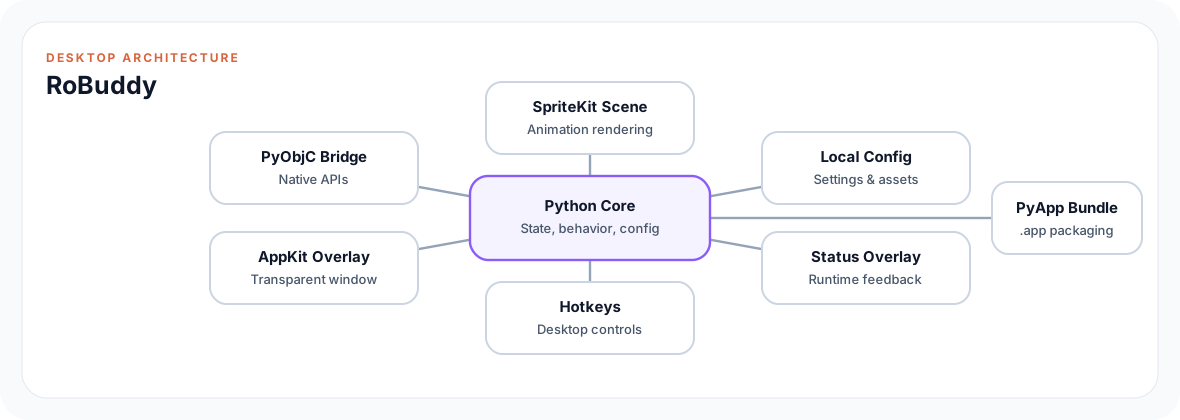
RoBuddy renders animated desktop buddies as native macOS overlays. The app combines a transparent AppKit overlay structure with Python/PyObjC logic, SpriteKit rendering, hotkeys, local configuration and macOS app bundling.
Overview
The interesting part is system-level UI work: windows need to float above normal apps, animations must not disrupt interaction and global input needs clear boundaries. RoBuddy connects Python domain logic with PyObjC bridges to AppKit and SpriteKit, local configuration, status overlays, hotkeys and a build process for real macOS app bundles.
Engineering highlights
Python/PyObjC app with transparent AppKit overlay structure
SpriteKit rendering for animated desktop buddies
Hotkeys, menu bar, status overlay and local configuration
PyApp, wheel and .app bundling as a real macOS application
Screenshots and demos
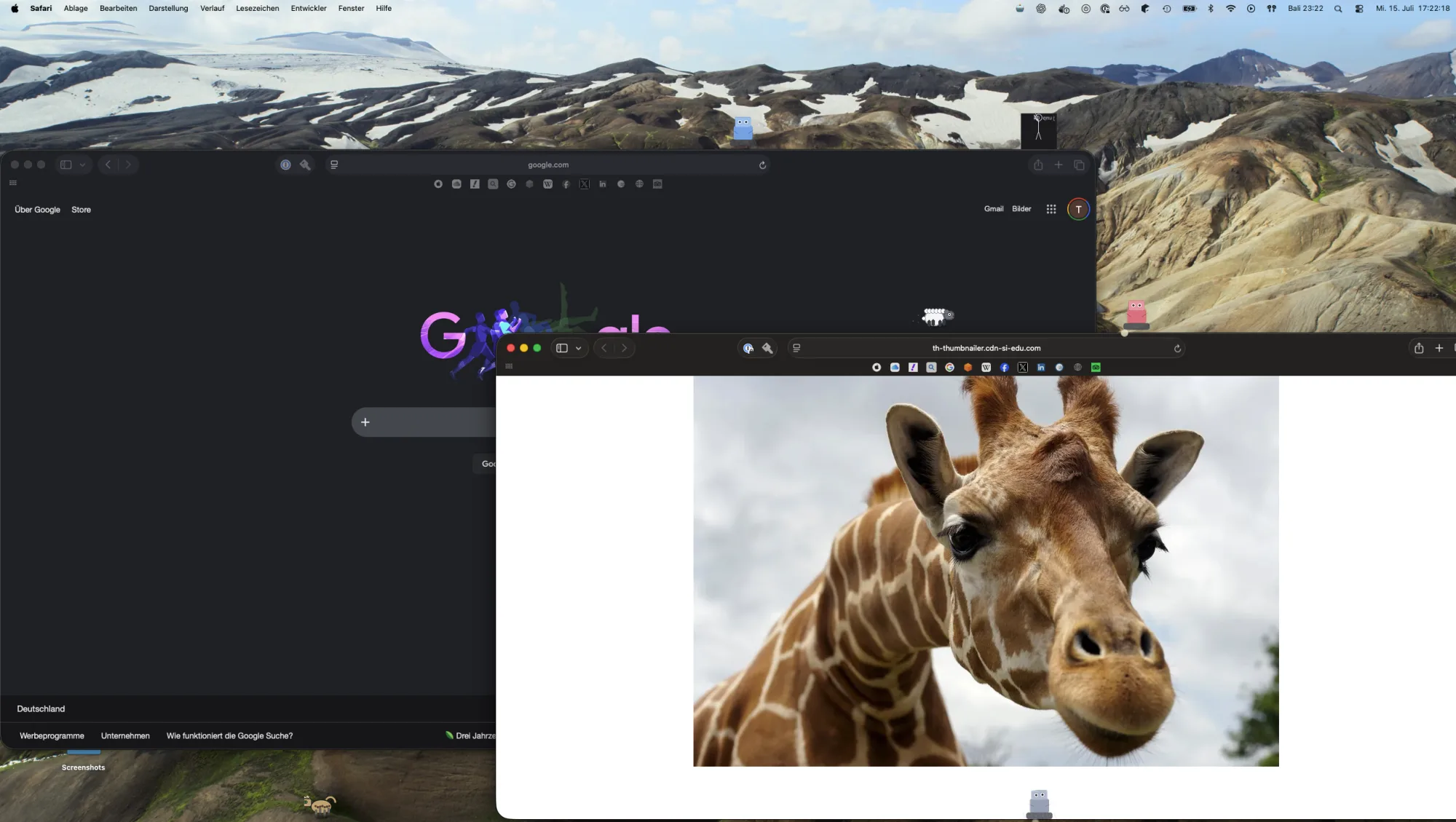
Several animated buddies move as independent overlays above regular macOS windows.
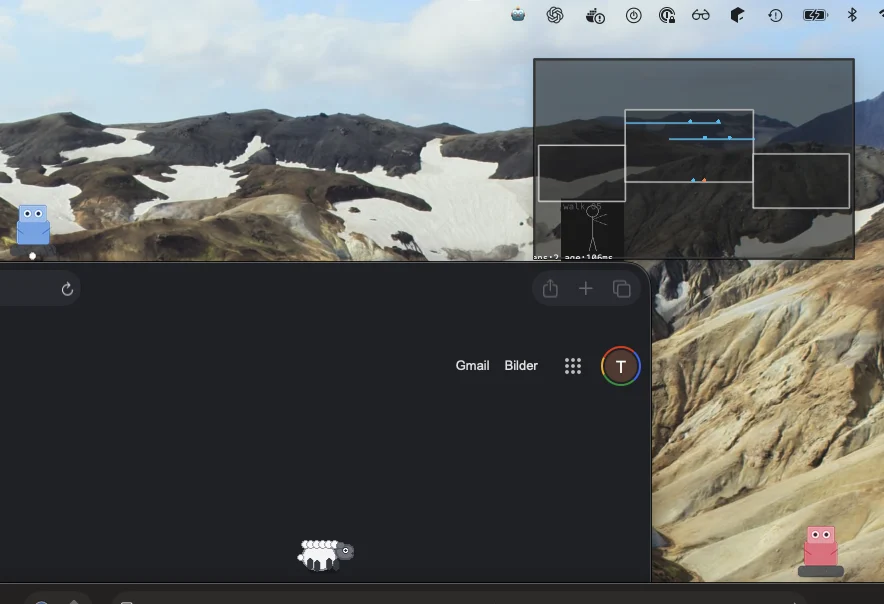
The optional status overlay exposes window boundaries, movement areas and active buddy states.
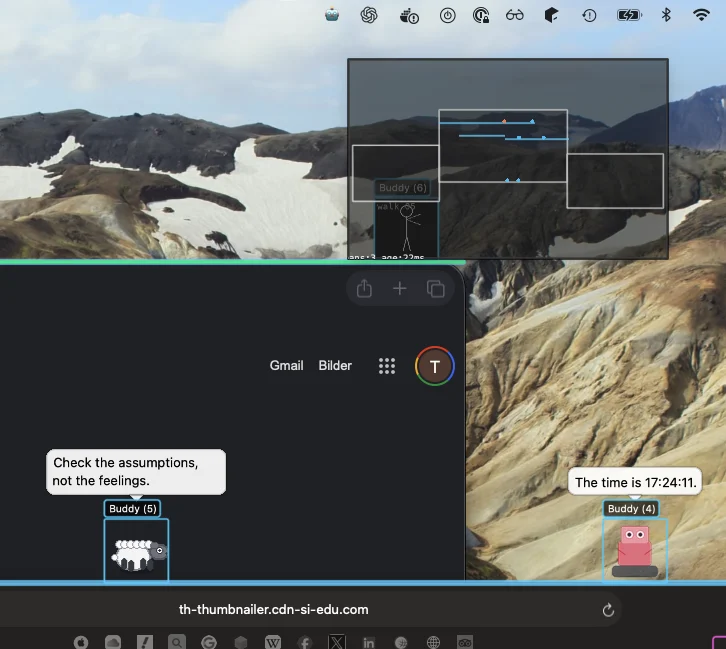
Context-aware reactions combine local speech bubbles with each buddy's position on the desktop.
Architecture
Architecture: Python core, local state, PyObjC bridge, AppKit overlay and SpriteKit rendering form a packaged macOS app.Open large diagram